
Case Study
RegTuner — PC Optimization Software
Desktop utility software that keeps a Windows PC running fast.
Start your project →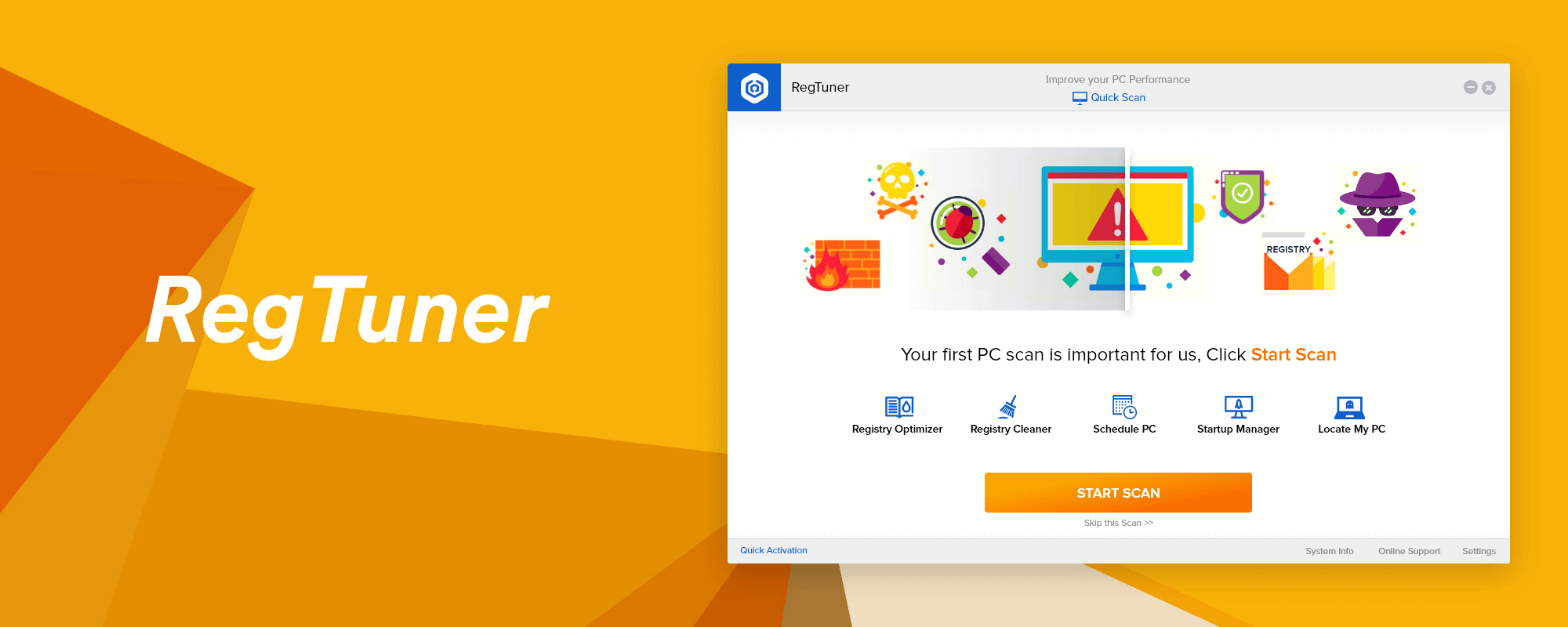
Overview
RegTuner helps everyday users tune up their computers with confidence. We designed an approachable, trustworthy desktop interface for registry optimising and cleaning, startup management and scheduled scans — guiding users gently from their very first scan with clear iconography, plain language and a calm, confident layout.
The challenge
PC-tuning tools are often intimidating, cluttered or downright shady-feeling — exactly the wrong impression for software that asks to make deep changes to someone’s computer. The challenge was to design desktop software that non-technical, everyday users would actually trust and understand, and to guide them through maintenance without fear or confusion.
Our approach
We designed for the nervous first-time user. That meant one clear primary action, plain-language explanations of what each tool does, and reassuring, friendly visuals throughout. The goal was to make “optimising my PC” feel safe and simple rather than risky — building trust at every step so users feel in control, not out of their depth.
UI/UX design
The interface is built around a prominent “Start Scan” call-to-action, with friendly iconography for each capability — registry optimizer and cleaner, startup manager, scheduled scans and locate-my-PC. A calm, confident layout and clear states make a technical utility feel approachable, so even hesitant users know exactly what to do first.
Interface & flows
We defined the screen structure, first-run and scan flows, custom iconography and interface states, giving the development team a clear, consistent blueprint for the app across all of its features. The design prioritises guidance and reassurance at each stage of the maintenance journey.
Process & delivery
We designed for the least confident user in the room, then worked outward. A single clear primary action anchored the interface, plain-language explanations demystified each tool, and friendly iconography and states reassured users at every step. The finished design was handed to development as a consistent, well-documented blueprint covering the app’s full set of features.
Highlights
- Prominent “Start Scan” action
- Registry optimizer and cleaner
- Startup manager
- Scheduled scans
- Custom iconography
- Guided first-run flow
The outcome
RegTuner feels trustworthy and easy, turning an intimidating maintenance task into a guided, near one-click experience that ordinary users can complete with confidence — the difference between software people abandon and software they actually keep.
Results & impact
RegTuner earns the trust that maintenance software usually squanders. By making an intimidating task feel safe and close to one click, it keeps non-technical users engaged instead of abandoning the app at the first confusing screen. That trust is the whole game for utility software, and it is the difference between a tool people delete and one they rely on.
Frequently asked questions
What did Creative Alive design for RegTuner?
We designed the desktop software interface — a guided first-run and scan experience, custom iconography and clear screens for a Windows PC-optimization tool.
Is RegTuner a UI/UX design project?
Yes, RegTuner was a UI/UX design project for desktop utility software, focused on making a technical task approachable.
Can Creative Alive design desktop or SaaS software interfaces?
Yes. We design desktop, web and SaaS application interfaces with a focus on clarity and trust. Get in touch.
Project type: UI/UX Design (Desktop Software) • Platform: Windows
Let’s build something great together
Tell us about your project and we’ll help you design, build and launch it.